4 ChatGPT features most people miss, and how to use them
Projects keep chats, files and instructions for one job together. Memory lets you see what ChatGPT remembers and correct it. Scheduled tasks run a reminder or check for you, up to 3 active tasks on Free. Photos let you ask about a picture. All four steps are checked on OpenAI's help pages.
What you need
| App | ChatGPT on the web at chatgpt.com or in the iPhone and Android apps, signed in |
|---|---|
| Cost | Free plan works for all four. OpenAI's help pages say limits depend on your plan, and some controls can vary by region and platform |
| Time | About a minute to start each one |
| Good to know | Scheduled tasks on Free: 3 active tasks, and a recurring task no more than once per day |
Step by step
Step 1: Projects: one place for one job
In the sidebar, select New project, enter a name, then pick an icon and color. Add files, such as PDFs, spreadsheets, docs or images, or paste text. To add rules, select the more options menu (•••), then Project settings, and type your instructions. OpenAI's help page says project instructions apply only inside that project. Already have a chat that fits? Open its menu and select Move to project.
Prompt to copyAct like a patient study coach. Use short bullet points. Ask me one question at a time before you explain. (Paste this into Project settings.)
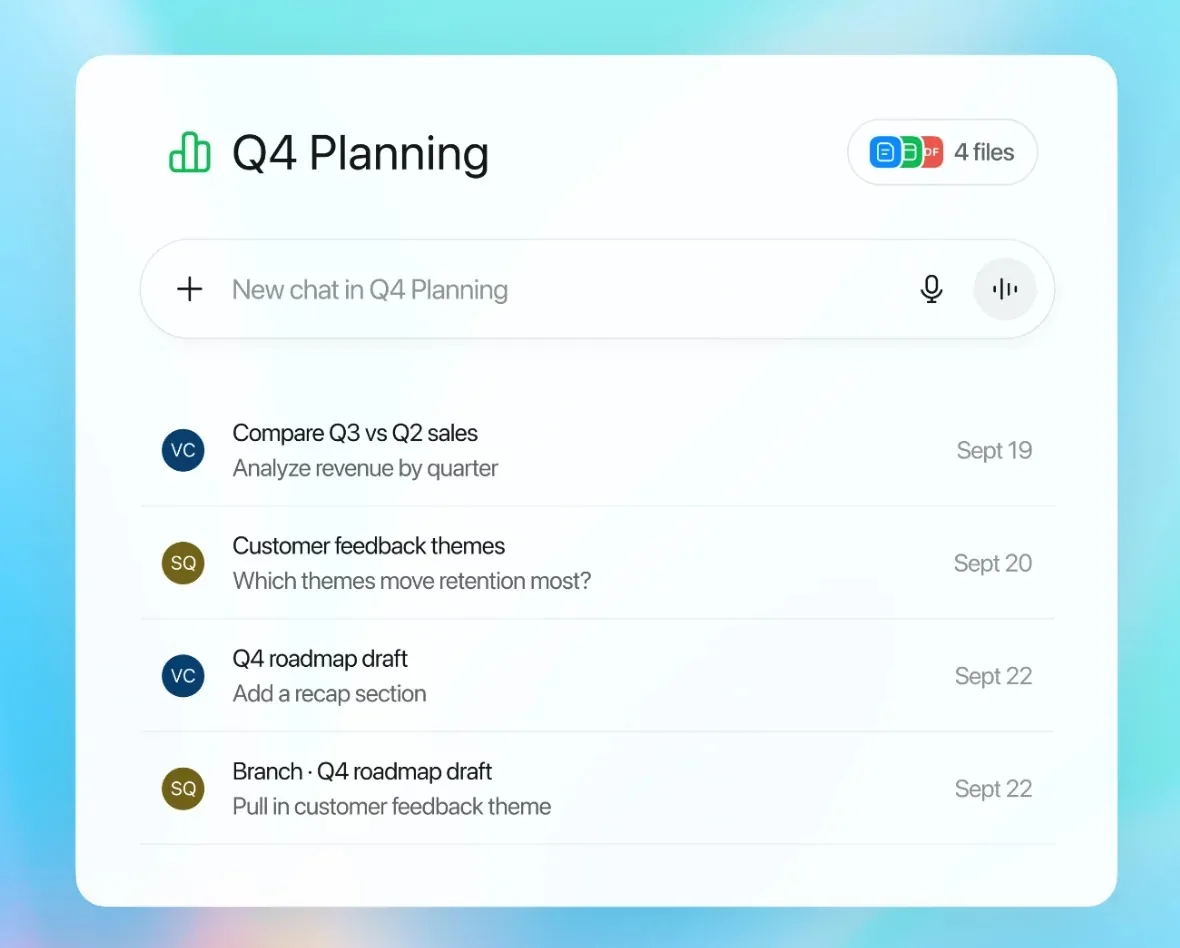
Image: OpenAI Step 2: Memory: see what ChatGPT remembers
Open Settings, select Personalization, then Memory. OpenAI's help page lists the controls you may see, such as Memory, Reference saved memories, Reference chat history and Memory summary, and says they can vary by plan, region and platform. You can also just ask ChatGPT what it remembers about you. To fix a wrong detail, enter a correction. Select Don't mention this again to stop ChatGPT bringing something up.
Prompt to copyWhat do you remember about me? List it, and tell me which items you used in your last answer.
Tip: Don't mention this again does not delete the original source. Deleting a chat alone does not necessarily delete a saved memory made from it.
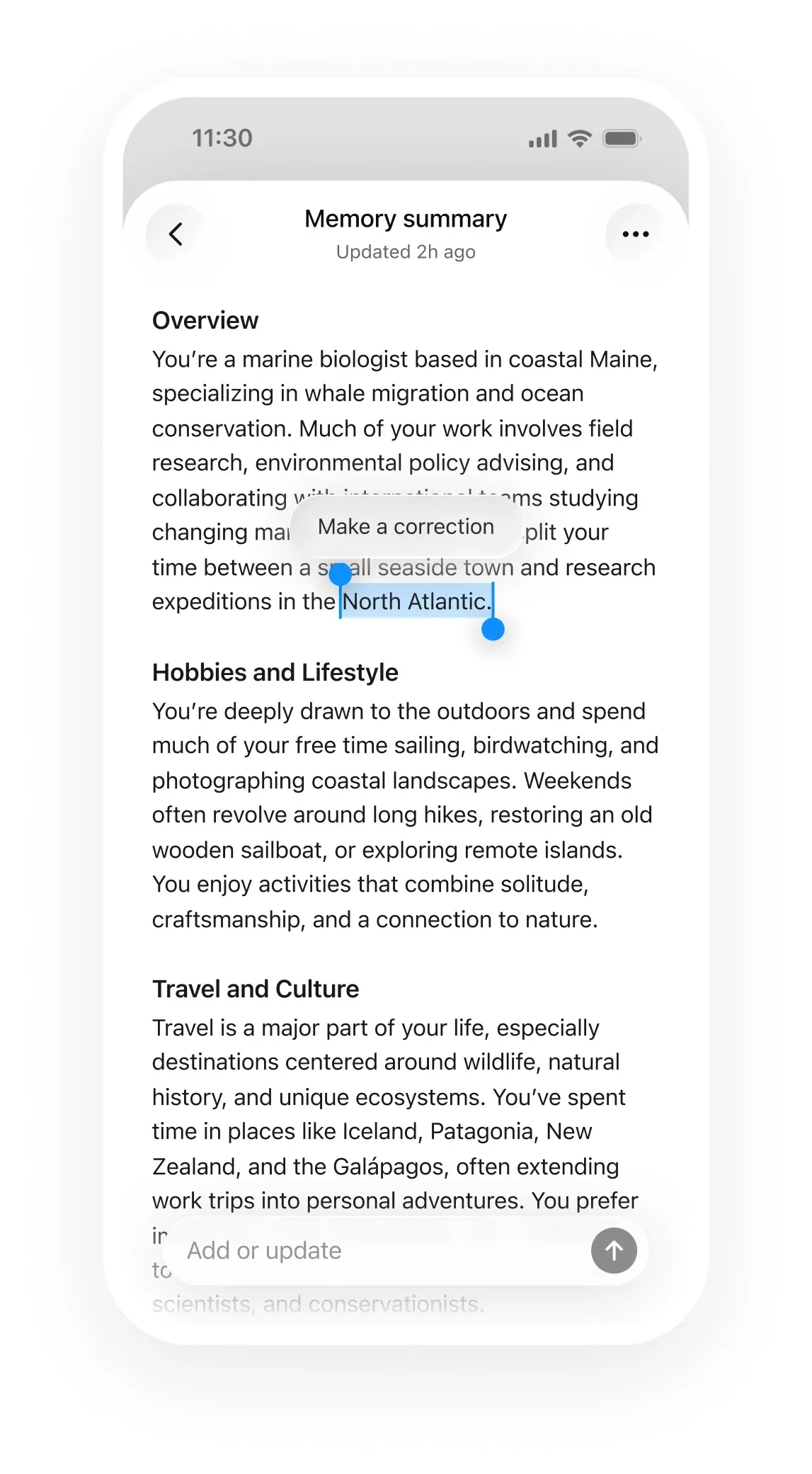
Image: OpenAI Step 3: Scheduled tasks: ChatGPT does it later
Go to Scheduled, or just ask ChatGPT for a task, such as "Let me know when my package is delivered." OpenAI's help page says Free accounts can have 3 active tasks, and a recurring task can run no more than once per day, in a flexible window such as morning, afternoon or night. To get notified, go to Settings, then Notifications, and select Push, Email or both. To change or stop a task, open Scheduled and edit, pause or delete it.
Prompt to copyEvery weekday morning, remind me to check my calendar and write my three top jobs for the day.
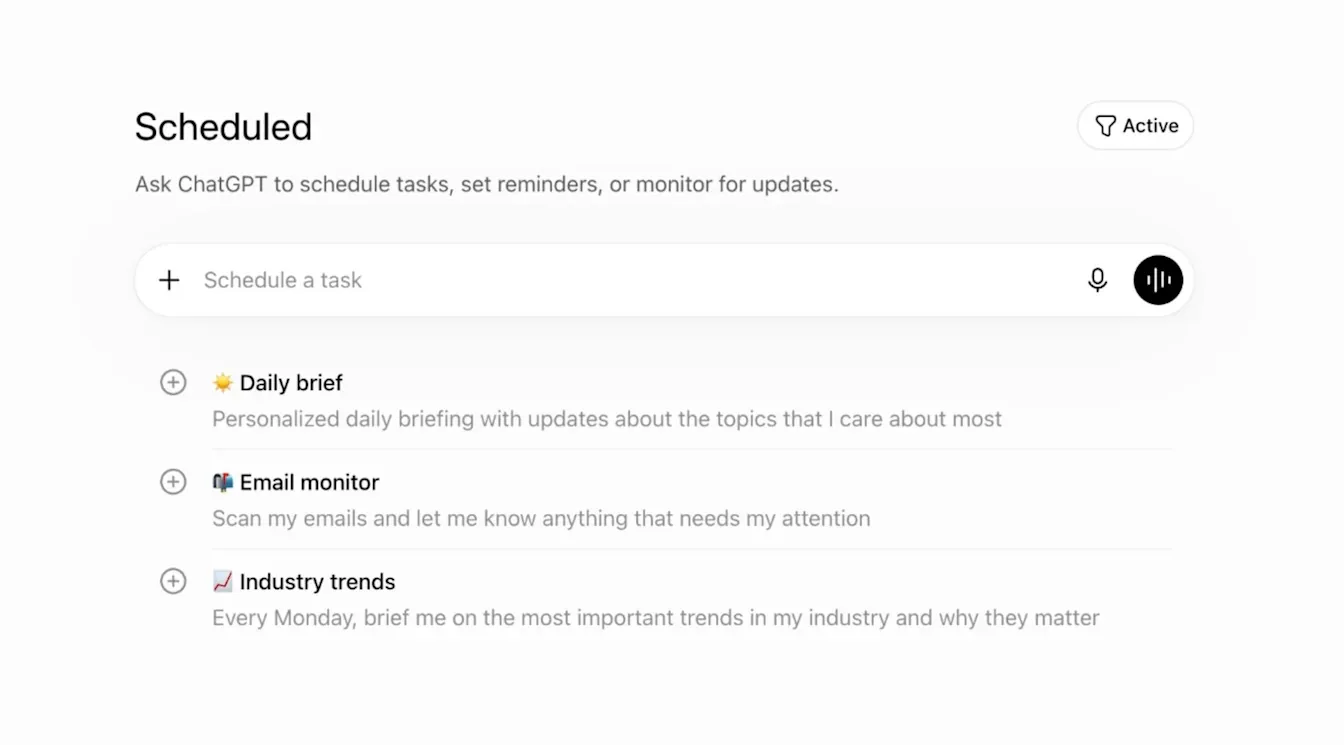
Image: OpenAI Step 4: Photos: ask about what you see
Tap the + icon in the prompt area and select Add photos & files. You can also drag an image in or paste one from your clipboard. OpenAI's help page says image inputs are available on Free and paid plans, subject to usage limits, with a 20MB limit per image, and PNG, JPEG and non-animated GIF files supported.
Prompt to copyHere is a photo of [what it shows]. Tell me what it says or shows, in plain English, and what I should check next.Tip: OpenAI says the model is not suitable for specialized medical images and should not be used for medical advice.
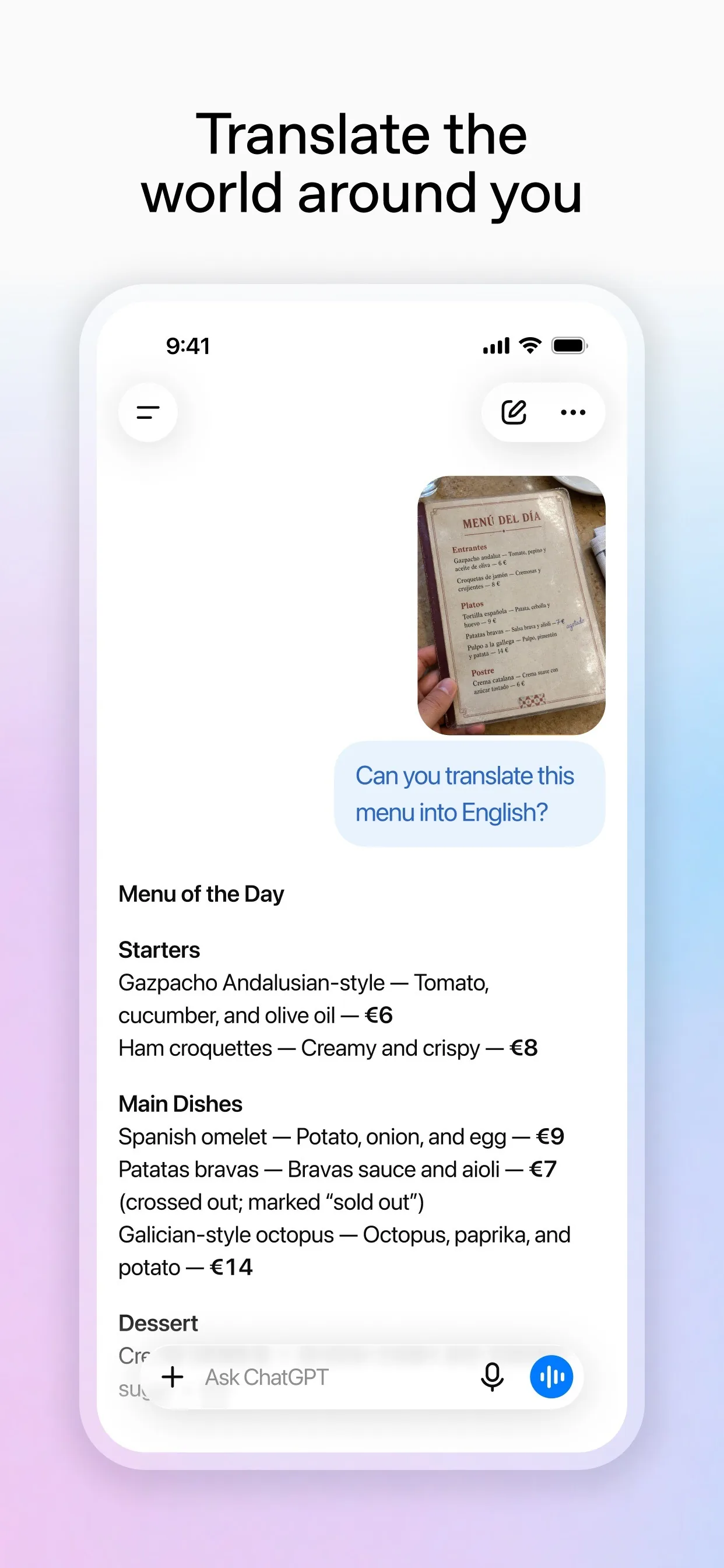
Image: OpenAI
Common mistakes
- Expecting every control to look the same. OpenAI's help pages say Memory settings vary by plan, region and platform, so look for the names you see.
- Treating Don't mention this again as a delete. It only stops ChatGPT mentioning the detail. The original chat or file stays until you remove it.
- Forgetting limits on Free. Scheduled tasks allow 3 active tasks, and a recurring task runs no more than once per day.
- Putting private details into a project you plan to share. A shared project gives other people access to its chats, files and instructions.
Questions people ask
Are these ChatGPT features free?
OpenAI's help pages say projects are available to signed-in users subject to plan, image inputs work on Free and paid plans with usage limits, and Free accounts can have 3 active scheduled tasks. Memory controls vary by plan, region and platform.
Where do I see what ChatGPT remembers?
Open Settings, select Personalization, then Memory, according to OpenAI's help page. You can also ask ChatGPT what it remembers about you.
How many scheduled tasks can I have on Free?
OpenAI's help page says the limit is 3 active tasks for Free and Go. Free users can schedule a one-time task, or a recurring task no more than once per day.
What image types can I upload?
OpenAI's help page lists PNG, JPEG and non-animated GIF, with a 20MB limit per image.
Checked against
- OfficialOpenAI Help Center: Projects in ChatGPT
- OfficialOpenAI Help Center: Memory in ChatGPT
- OfficialOpenAI Help Center: Scheduled tasks in ChatGPT
- OfficialOpenAI Help Center: ChatGPT Image Inputs FAQ
AI apps change their buttons often. If a step no longer matches what you see, email hello@openloopnews.com and we will update this guide.