5 Claude features most people miss, and how to use them
Two are free on every Claude plan: Slides turns your notes into a deck you can export to PowerPoint, and Docs lets you highlight text and click Edit with Claude. Three are in the desktop app's Code tab on paid plans: side chats for questions that don't derail a task, split view for two chats at once, and Remote Control to carry on from your phone.
What you need
| App | Claude on the web, phone or desktop for Slides and Docs. The Code tab of the Claude desktop app for the other three |
|---|---|
| Cost | Slides and Docs are free on every plan. Anthropic's docs say the Code tab needs a Pro, Max, Team or Enterprise plan |
| Time | About a minute to try each one |
Step by step
Step 1: Slides: turn your notes into a deck
In any chat, paste your notes or attach a file and ask for a slide deck. Anthropic's help page says decks export to PowerPoint and PDF, or go straight to Google Slides as editable files. It works on every plan, including Free.
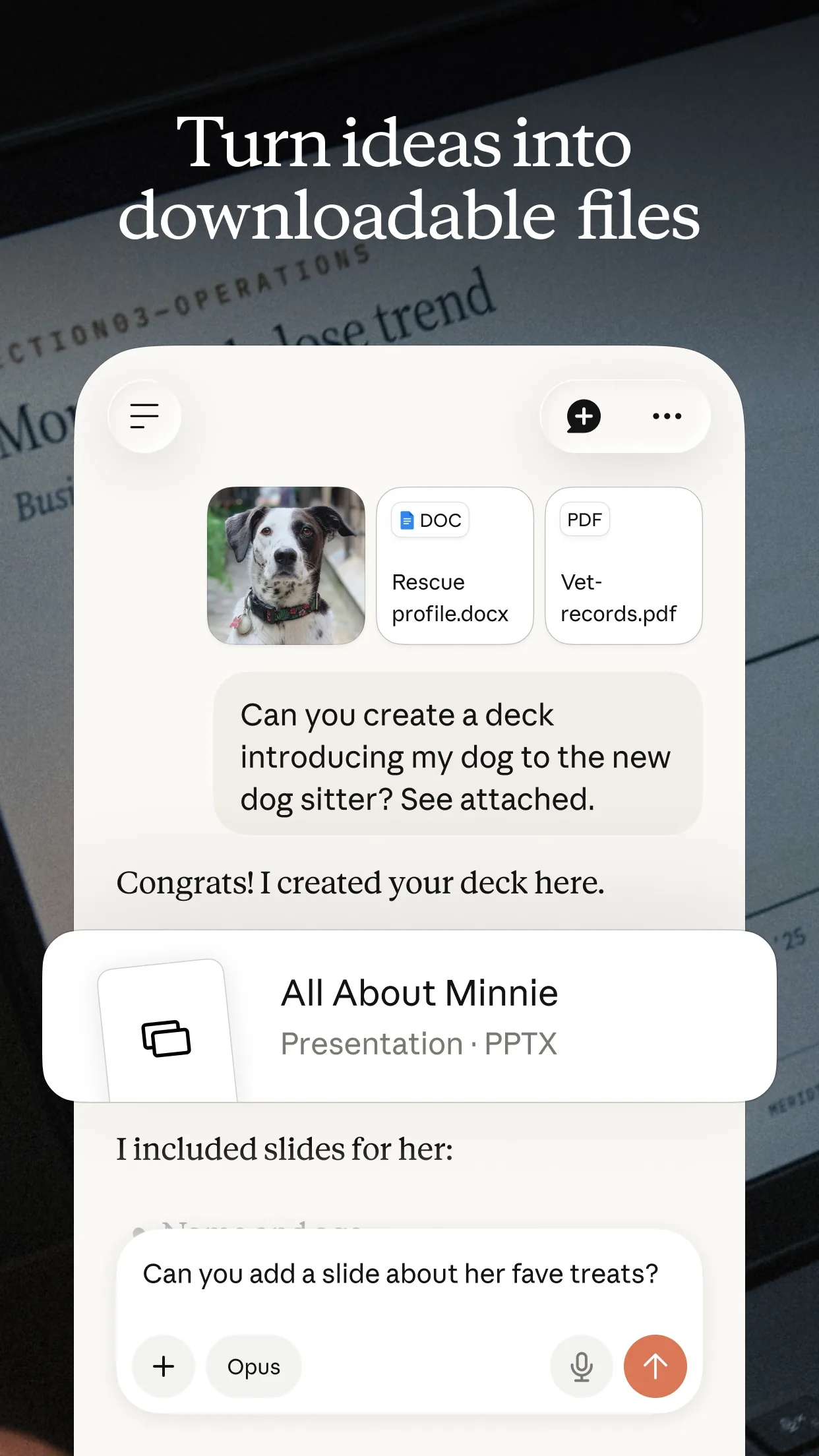
Image: Anthropic Step 2: Docs: highlight, then Edit with Claude
Ask Claude for a document in any chat. To change part of it, highlight the text, click Edit with Claude and type what you want. The help page says docs export to Word, PDF, Markdown and Google Docs. It is free on every plan too.
Step 3: Side chats: ask without derailing
In the Code tab, press Cmd+; on a Mac or Ctrl+; on Windows, or type /btw. Anthropic's docs say the side chat can read the main chat so far, but adds nothing back to it. The desktop app does not save side chats after you close it.
Step 4: Split view: two chats side by side
In the Code tab's sidebar, hold Option on a Mac or Alt on Windows and click a chat, or right-click it and choose Open in, then Split view. To take one out, press Cmd+Ctrl+W on a Mac or Ctrl+Alt+W on Windows.
Step 5: Remote Control: carry on from your phone
Turn on the chat's Remote Control switch, or type /remote-control. Anthropic's docs say a connected session appears at claude.ai/code and in the Claude apps signed in to your account.
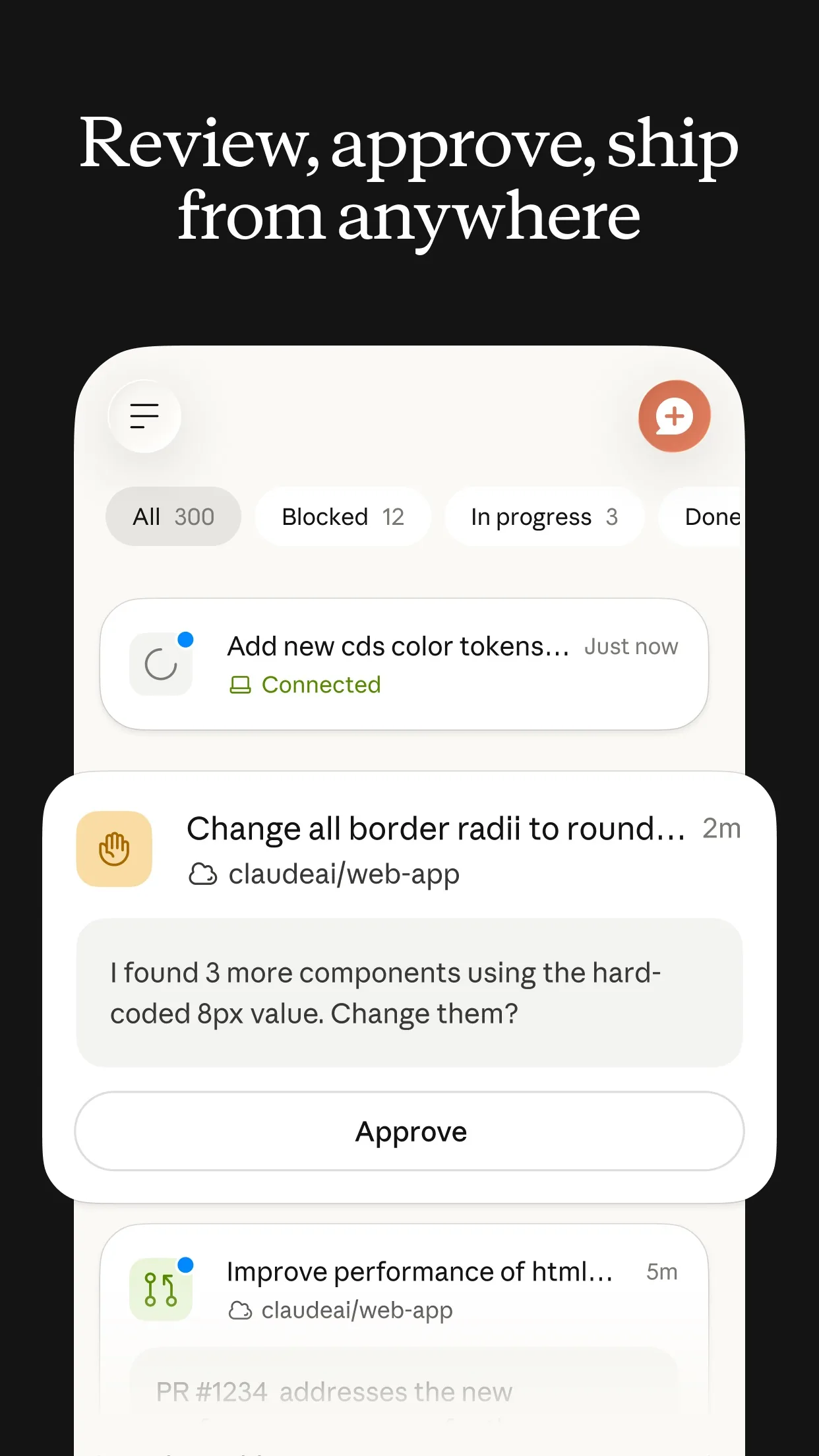
Image: Anthropic
Common mistakes
- Looking for side chats, split view or Remote Control in the regular chat: they are in the Code tab of the Claude desktop app.
- Expecting a side chat to stay. Anthropic's docs say the desktop app does not save side chats after you close it, so copy anything you need first.
Questions people ask
Which of these are free?
Slides and Docs. Anthropic's help page says artifacts, including decks and docs, are on the Free, Pro, Max, Team and Enterprise plans. Side chats, split view and Remote Control are in the Code tab, which Anthropic's docs say needs a Pro, Max, Team or Enterprise plan.
Where is the Code tab?
In the Claude desktop app for Mac and Windows. Anthropic's docs say it is the Code tab at the top of the app's sidebar.
Does a side chat change what Claude is doing?
No. Anthropic's docs say a side chat can read the main chat up to that point but adds nothing back to it.
What does Remote Control do?
It connects a chat running on your computer to your other devices. Anthropic's docs say a connected session appears in the session list at claude.ai/code and in the Claude apps signed in to your claude.ai account.
Checked against
- OfficialClaude Help Center: What are artifacts and how do I use them?
- OfficialClaude Code Docs: Use Claude Code Desktop
- OfficialClaude Code Docs: Get started with the desktop app
- OfficialClaude: Artifacts
AI apps change their buttons often. If a step no longer matches what you see, email hello@openloopnews.com and we will update this guide.