Claude can now turn artifacts into Mac and Windows apps
On 24 November 2026, Anthropic launched "Install as app" in beta for Claude on Mac and Windows, on all plans. An artifact you make in Claude gets its own icon and opens in its own window. Apps can send notifications and use Claude and your connectors, but Anthropic does not review them before you install them.
The short version
- 01"Install as app" is in beta on all plans in Claude for Mac and Windows, announced 24 November 2026.
- 02An installed artifact gets its own icon and window, and updates when you edit the artifact.
- 03Apps use your Claude account, and their requests count toward your plan's usage limits.
- 04Permissions run from browser-only to full computer access, and Claude asks again after every update.
- 05Claude Docs, Slides and Sheets cannot be installed, and Enterprise keeps it off until an owner turns it on.
At a glance
| Status | Confirmed by Anthropic |
|---|---|
| Announced | 24 November 2026 |
| Where | Claude for Mac and Windows |
| Stage | Beta, on all plans |
| Team plans | On by default, full access off |
| Enterprise | Off until an owner turns it on |
| Not supported | HIPAA-ready organizations, hybrid deployments |
What is Claude's Install as app?
Artifacts are the pages and small tools Claude builds in a chat. Anthropic says they started as things you share, like a chart or a web page, but people now use them as everyday tools, such as a meeting prep page or an order tracker.
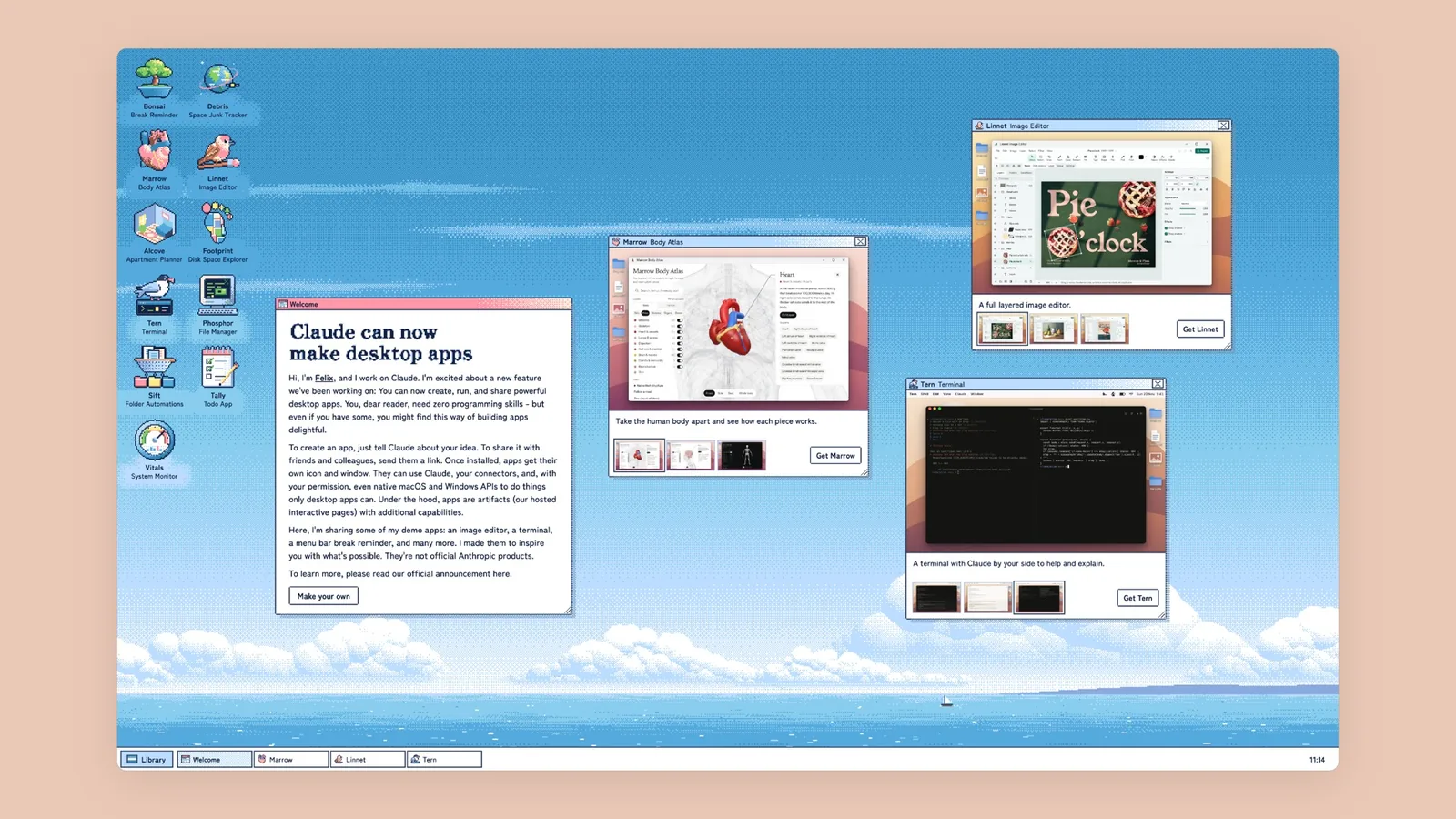
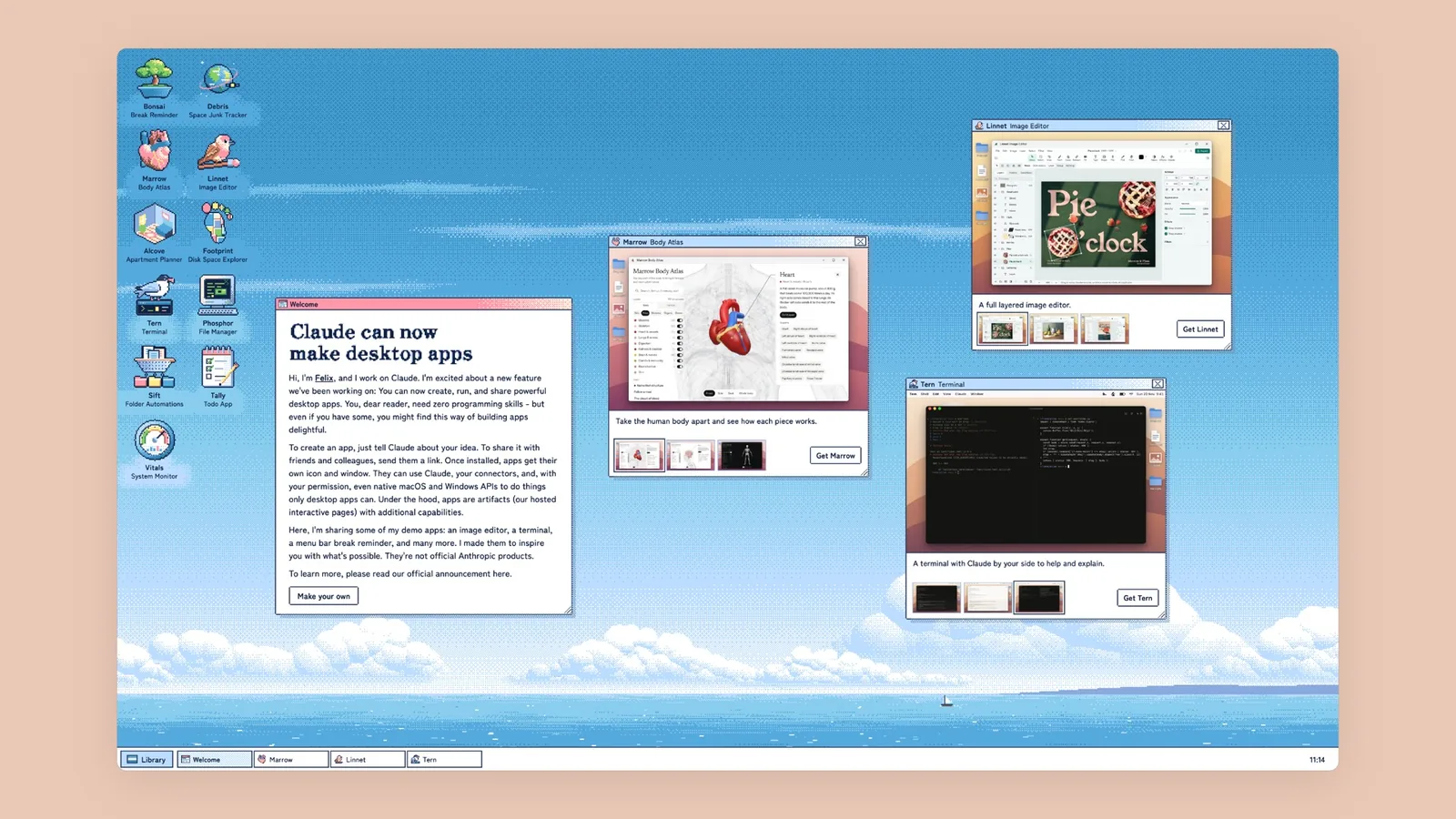
With Install as app, you pick it from the Share menu and the artifact becomes a Mac or Windows app with its own icon and window. You do not package or sign it.
What can installed apps do?
They can send notifications or sit in your menu bar or system tray. They can use Claude and your connectors, and they update automatically when the artifact is edited.
Anthropic's own people made a layered image editor, a file manager, a folder-rules tool, a terminal and a computer performance monitor.
Is it safe?
There are three permission levels: default, which is what a browser could do; app permissions, such as always-on-top windows and notifications; and full computer access, where an app can run programs and read, change or delete files.
Permission covers only the current version, so Claude asks again after every update. Full access is only for apps you made or, on Team and Enterprise, apps from your organization. Anthropic says it does not review apps before you install them. We covered Claude acting with wide access in [Claude Ship](/news/anthropic-claude-ship-review-fix-approve-code/), and Google's [Gemini for Mac](/news/gemini-mac-computer-use-background-window/) raised the same question.
Who can use it?
It is rolling out in beta on all plans. It is on by default for Team, with full access off, and off on Enterprise until an owner turns it on. You need to be online and signed in, and Docs, Slides and Sheets cannot be installed.
What does it mean for you?
If you have a Claude artifact you open every day, this saves a tab and gives you reminders from your menu bar. It is most useful for personal trackers and dashboards.
The cost is hidden in the usage limits: each request the app makes to Claude counts against your plan, so a busy app can eat your allowance.
Stay on the default permission unless you built the app yourself. The same rule applies as with [Claude Ship](/news/anthropic-claude-ship-review-fix-approve-code/): give an AI the least access that works.
One thing to do now: update Claude, open an artifact you use daily, and try Install as app on something harmless.
What's next?
It is a beta, so details may change. Anthropic's page does not give dates for changes or for wider rollout to Enterprise.
Questions people ask
How do I install an artifact as an app?
Update Claude for Mac or Windows, open the artifact, and choose Install as app from the Share menu.
Do I need an API key?
No. Installed apps use your Claude account, so there is no key or separate login.
Can I share an installed app?
Yes. Anthropic says you can share it with others.
Does it work offline?
No. You need to be online and signed in to Claude to open an app.
Sources
Why "Confirmed"? We label a story "Confirmed" when the company or government announced it itself. Spotted an error? Email hello@openloopnews.com and we will correct it.